MySQL GUI Client for Mac
A MySQL client that feels at home on your Mac.
Rowwright makes MySQL pleasant again: a spreadsheet-fast data grid, a focused SQL editor and clear views of your tables, indexes, foreign keys, routines and running queries.
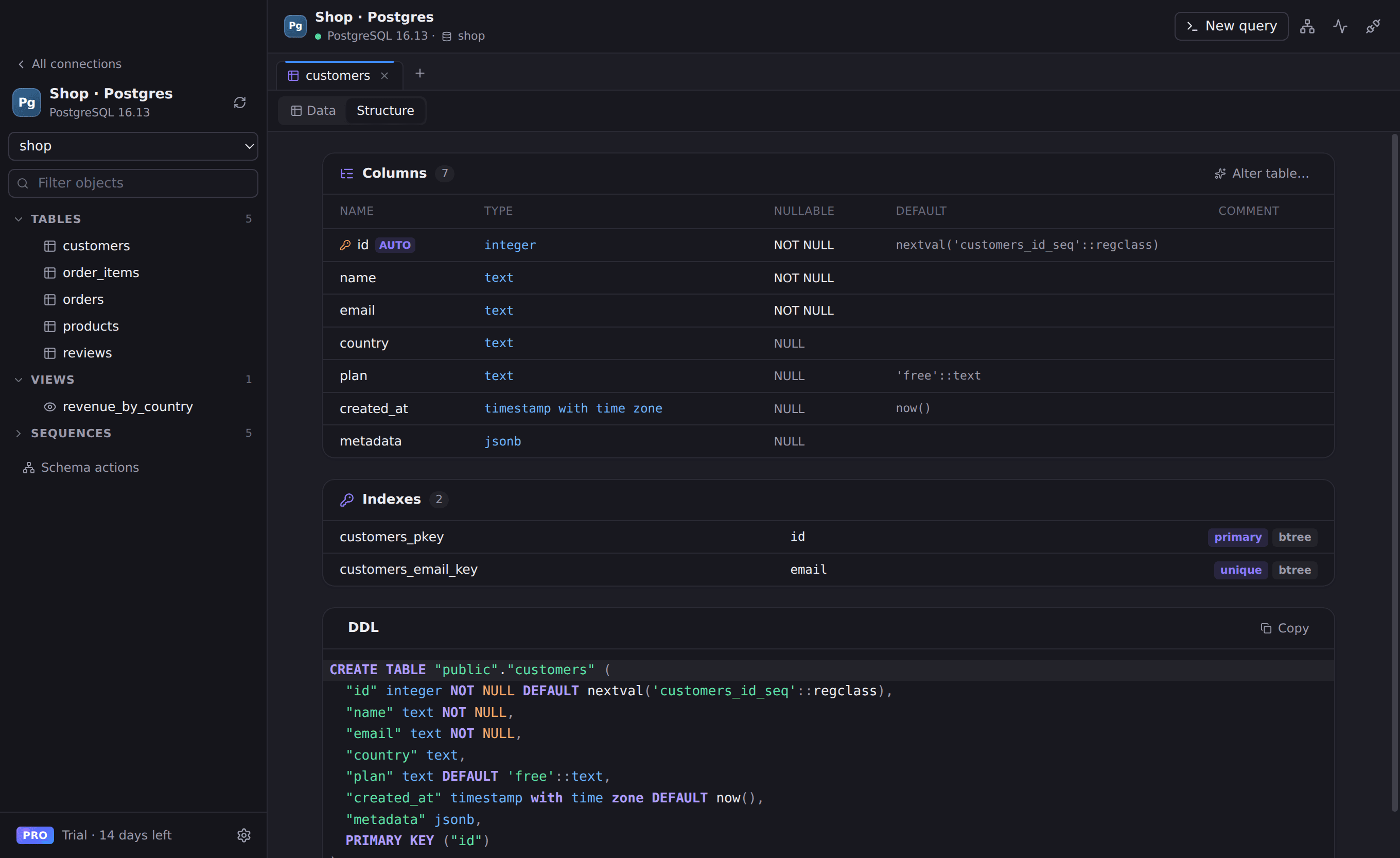
Everything you need for MySQL
Browse every database
Switch between databases from the toolbar; tables, views, procedures and functions appear in the sidebar instantly.
Spreadsheet-style editing
Double-click to edit, add or delete rows, then save everything in one transaction — or discard it.
Real SHOW CREATE TABLE
Structure view shows columns, indexes and foreign keys alongside the exact DDL from the server.
Process list & kill
See what’s running right now, with one-click KILL for the query that’s holding everything up.
Works with
- MySQL 5.7 and 8.x
- Amazon RDS & Aurora MySQL
- Google Cloud SQL
- Azure Database for MySQL
- PlanetScale
Connect in seconds
- 1. Open Rowwright and click New connection.
- 2. Paste a connection URL, or fill in host, port and credentials:
mysql://root:password@127.0.0.1:3306/shop3. Press Save & Connect. Passwords are stored in your macOS Keychain.
MySQL questions
- Is Rowwright a replacement for Sequel Pro or MySQL Workbench?
- For everyday work, yes: browsing and editing data, writing queries, inspecting structure and monitoring processes — in a modern app that runs natively on Apple Silicon.
- Can I run multiple statements at once?
- Yes. Press ⇧⌘↵ to run a whole script. Each statement’s result appears in its own tab.